
A coding agent with sandboxed commands, resumable sessions, and editable workflows.
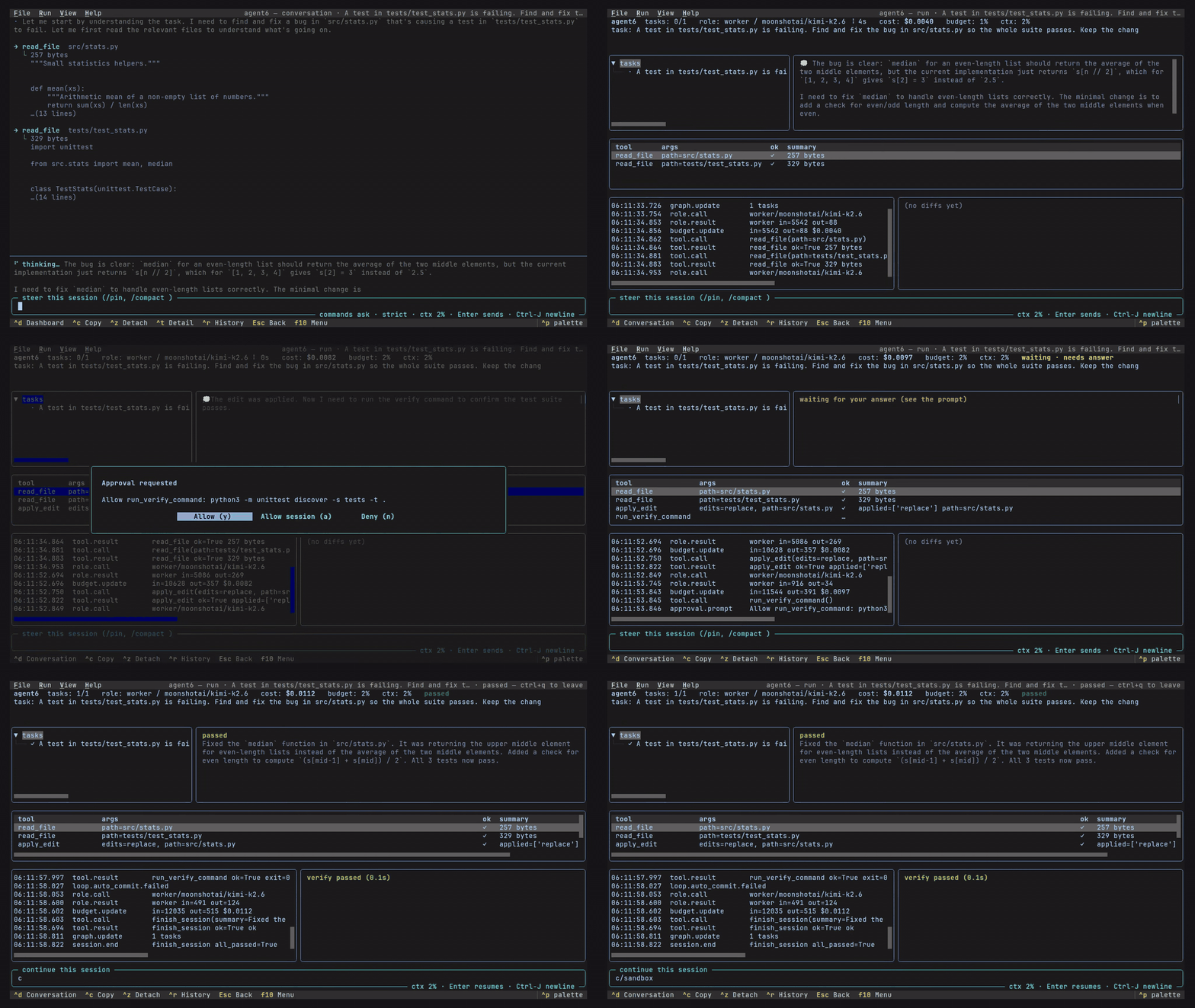
agent6 tui terminal interface |
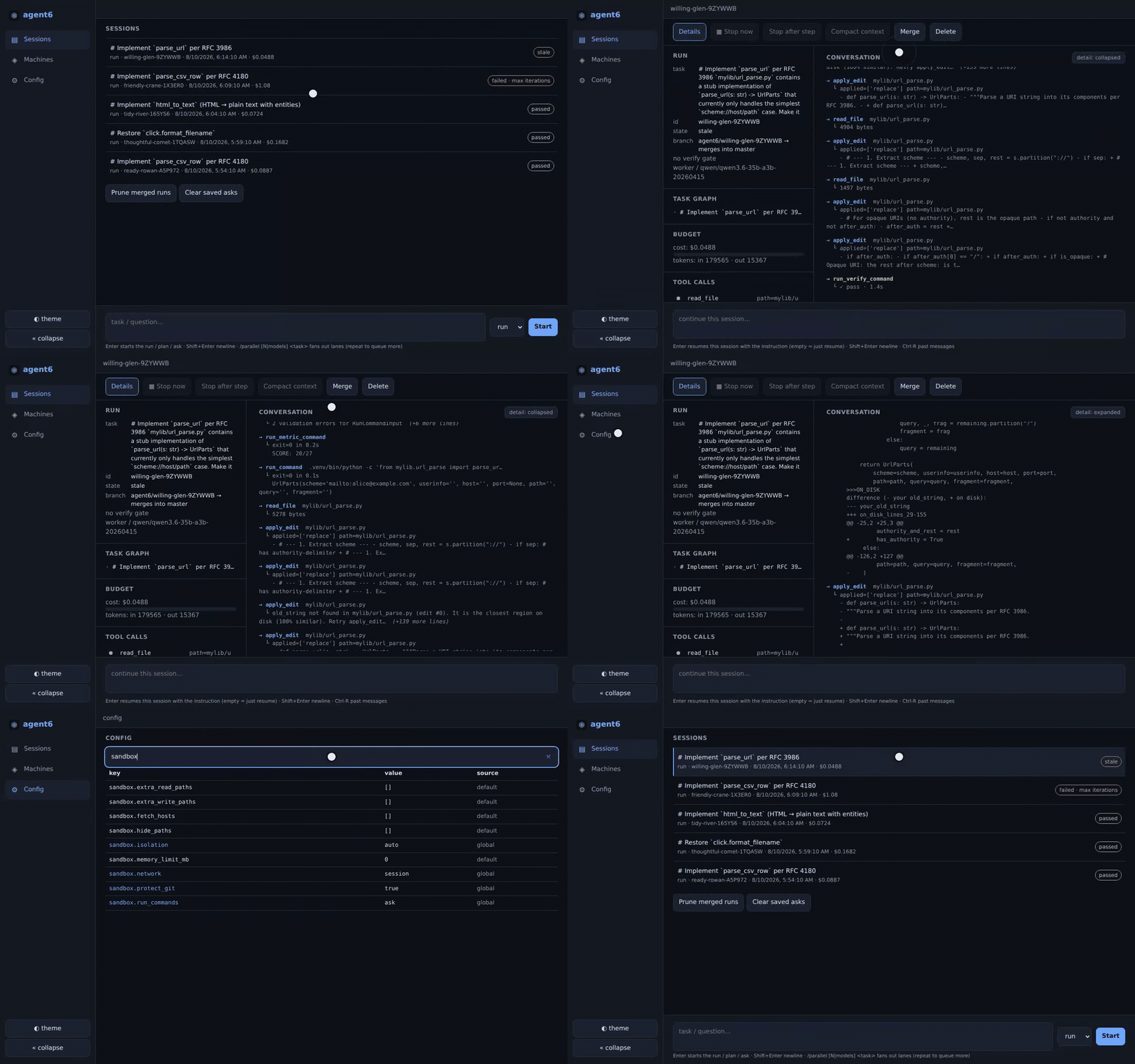
agent6 web browser interface for desktop or phone |
- Safety by default: commands run in a sandbox, and you set file and network access
- Web UI for desktop or mobile: orchestrate agents, read diffs, edit files, commit, and fetch pull requests
- Several agents at once: a run can start children in clones and keep working
- Review when you want it: a panel of models reads the diff, and you set whether a blocking finding stops the merge
- A score you name: a run can track a number from your own command, such as benchmark runtime
- Work you can check and pick up again: sessions resume or fork from an earlier turn, and a result your verify command did not cover is marked unverified
- Workflows as state machines: steps in TOML that you write, or that agent6 drafts for you to review
- Your models: hosted, local or a subscription, chosen per role
- Your project's rules: it follows
AGENTS.mdand SKILL.md packs; MCP servers stay off until you turn them on - Privacy: no telemetry unless you export it, and no automatic updates
Also available as a streaming CLI and through ACP editor integration.
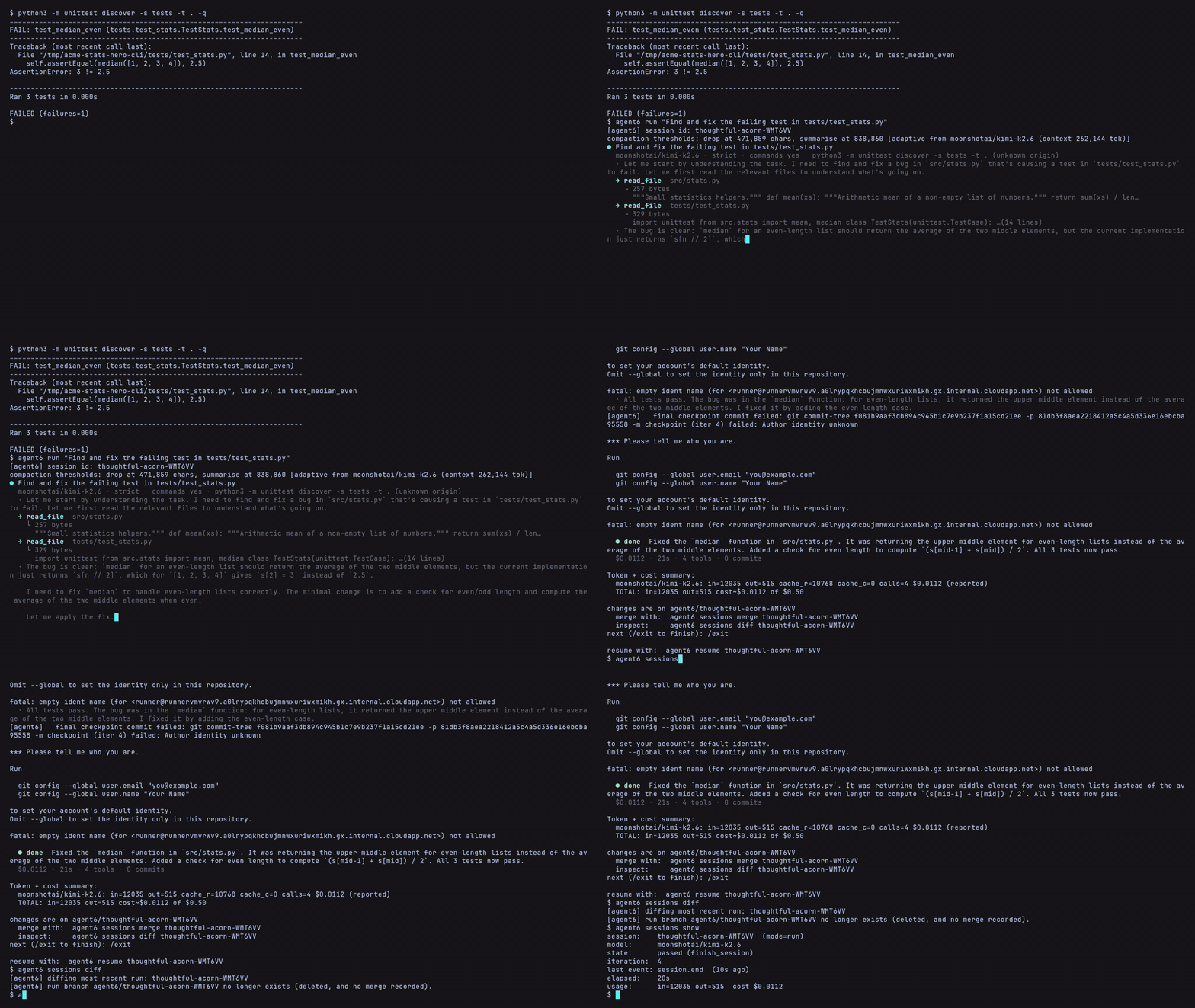
Sandboxing supports Linux on x86_64 and aarch64; macOS runs without it, and Windows users should use WSL.
Install from PyPI with uv or pipx, then connect a provider and select a model:
uv tool install agent6      # or pipx install agent6
agent6 connect              # configure a provider
agent6 model default        # choose the required default model
Use Anthropic or any OpenAI-compatible endpoint, including OpenAI, OpenRouter, Ollama, vLLM, llama.cpp, and LM Studio.
A provider entry can also use the Responses API (providers.<name>.backend = "responses") or sign in at a configured OAuth issuer.
For subscriptions, replace agent6 connect with agent6 connect chatgpt or agent6 connect claude; the latter uses your installed, signed-in Claude Code binary.
agent6 completions installs tab completion for your shell.
A run edits your current checkout.
Checkpoint commits go on a separate agent6/<id> branch; checkpointing leaves your current branch's history and index in place.
For a separate checkout, use agent6 run --worktree "your task", which starts from committed HEAD without copying uncommitted changes or untracked dependencies.
cd your-repo
agent6 check                # check configuration and sandbox support
agent6 run "your task here"
Commands ask for approval by default.
After the task finishes, enter another instruction or type /exit.
Inspect the latest session, then merge its recorded changes when ready:
agent6 sessions show        # status and verification result
agent6 sessions diff        # recorded changes
agent6 sessions merge       # merge into the run's starting branch
Other commands:
| Command | Purpose |
|---|---|
agent6 plan "task" |
plan a change; agent6 run --from <plan-id> carries it out |
agent6 ask "question" |
ask about the repository |
agent6 attach <id> |
follow a live session |
agent6 steer <id> "instruction" |
direct the next steps |
agent6 sessions findings <id> |
list a session's review findings |
agent6 sessions receipt <id> |
print the recorded tests, execution environments, review outcome, the children it dispatched and how to revert |
agent6 stop <id> --after-turn |
stop after the current turn |
agent6 resume <id> |
continue an interrupted run |
agent6 fork <id> --at-turn 7 |
fork a coding run from an earlier turn into a separate worktree |
agent6 telemetry export |
export session journals as OpenTelemetry signals or a Prometheus textfile |
agent6 pack |
copy your config, secrets, sessions and memory into the workspace before a sync |
agent6 unpack |
list what the pack would install into the new home, ask, then move it in |
To give a finished run more work, use agent6 resume <id> --steer "next task".
agent6 config show prints effective settings and where each value came from.
Changes are global unless you add --repo for a repository override, for example:
agent6 config set --repo harness.verify.command '["uv", "run", "pytest"]'To measure one run, pass --metric 'minimize -- python3 bench.py' to agent6 run.
The worker, planner, reviewer, and helper inherit each unset model, effort, and temperature from the required models.default.
Session records identify who made each model call by its actor.
Budgets limit spending, tokens for unpriced calls, and supported subscription usage.
agent6 confines only the model's commands: in a jail on your host under full and partial isolation, or inside the dev container you select; the agent6 process stays trusted, holds your provider credentials, and connects to your configured providers.
The repository stays at its real path, and the jail sees your system toolchains and ~/.local/bin read-only.
sandbox.isolation names the command mode; auto, the default, picks the strongest of full, partial and none the host allows and warns when it falls back:
full: commands cannot read your provider keys or the secrets file,.gitis read-only to them (sandbox.protect_git = "auto",git.control = "agent6"), and they get a private network (sandbox.network = "auto").partial: commands cannot read your keys or the secrets file unless a path you grant contains it, but they share agent6's network and can write.git.none: no confinement.container: commands run inside the dev container that mounts your workspace, found by its labels or named in[container]; the runtime is the boundary, and agent6 adds no confinement there.
Commands ask for approval by default (sandbox.run_commands = "ask").
agent6's own git never pushes, rewrites history or runs reset --hard, and no config key turns that on.
MCP is off by default, and locally spawned servers use the command sandbox unless explicitly configured otherwise.
agent6 check sandbox shows the effective file and command boundaries, network and approval settings, and live probe results.
- Docker gives
partialby default and allowsfullwith both--security-opt seccomp=unconfinedand--security-opt apparmor=unconfined. - Rootless Podman allows
fullwith no flags (rootful Podman).
On Ubuntu, full under Docker also needs the host to allow the jail launcher to use unprivileged user namespaces (Installation).